
喜讯!TCMS 官网正式上线!一站式提供企业级定制研发、App 小程序开发、AI 与区块链等全栈软件服务,助力多行业数智转型,欢迎致电:13888011868 QQ 932256355 洽谈合作!
本文介绍了一个增强版的 envsubst 工具,解决了原生工具在 Nginx 配置替换中的安全问题,支持通配符白名单、默认值语法、调试模式等高级特性,完全零依赖,非常适合容器化部署场景。
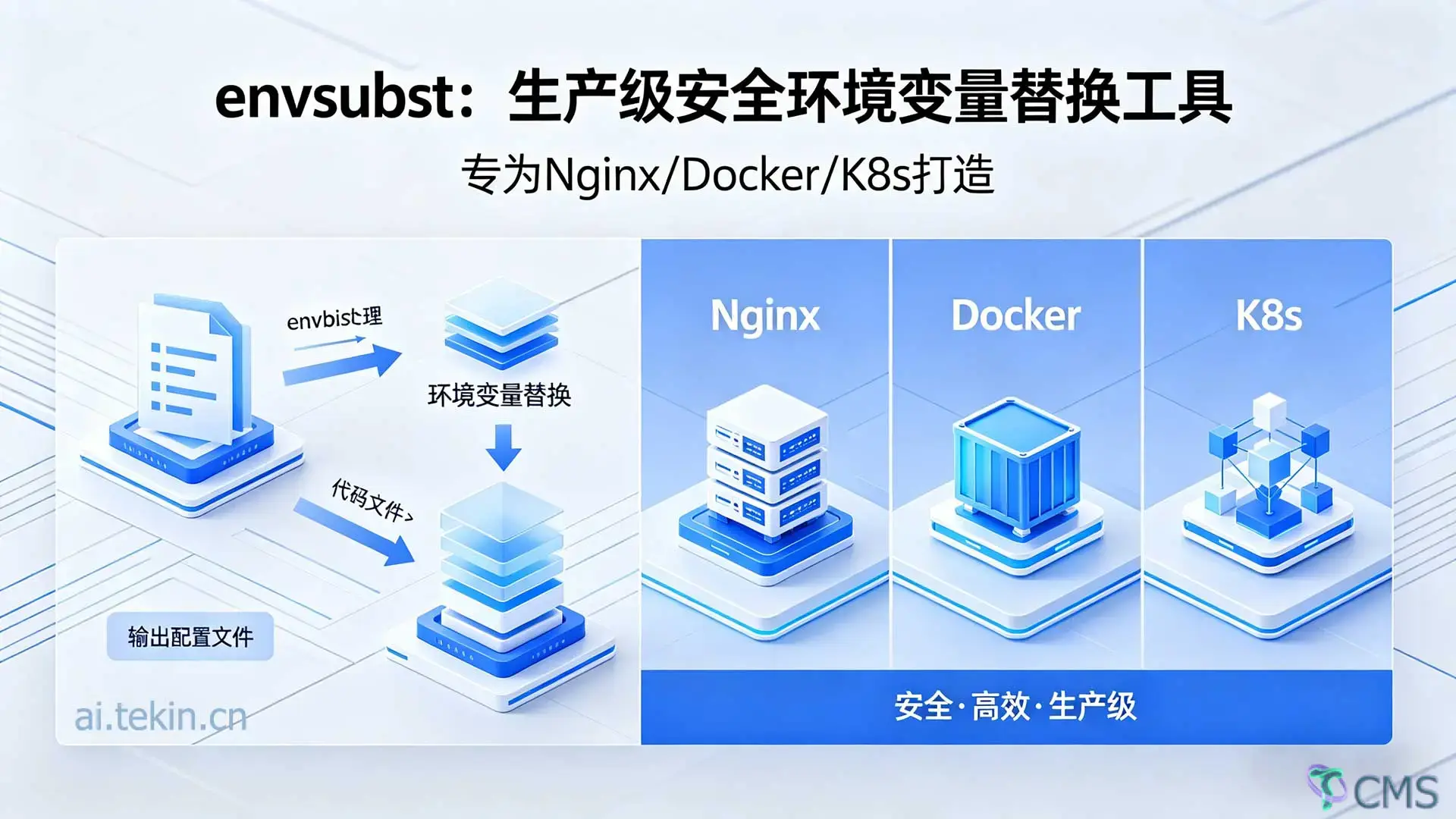
在容器化和微服务架构中,我们经常需要根据环境变量动态生成配置文件。典型的场景包括:
CI/CD 流水线:多环境配置管理
原生的 envsubst(来自 GNU gettext)虽然功能简单,但在生产环境中存在几个严重问题:
# 模板文件
server {
    listen ${PORT};
    server_name ${HOST};

    location / {
        proxy_pass http://backend;
        proxy_set_header Host $host;        # ← Nginx 内置变量
        proxy_set_header X-Real-IP $remote_addr;  # ← Nginx 内置变量
    }
}

# 使用原生 envsubst
envsubst < nginx.conf.template > nginx.conf
结果:$host 和 $remote_addr 被误替换为空字符串,导致 Nginx 配置错误!
原生 envsubst 要么替换所有变量,要么通过白名单精确指定每个变量名:
# 方式 1:全部替换(危险)
envsubst < config.tpl

# 方式 2:逐个指定(繁琐)
envsubst '$DB_HOST $DB_PORT $REDIS_URL $API_ENDPOINT ...' < config.tpl
没有通配符支持,当有几十个变量时,维护成本极高。
echo '${UNDEFINED_VAR}' | envsubst
# 输出:空字符串(变量被删除)
在某些场景下,我们希望保留未定义的变量原样输出,而不是删除。
基于以上痛点,我开发了一个增强版的 envsubst 工具,核心特性包括:
增强版 envsubst 默认只替换 ${VAR} 格式,不会触碰 $VAR 格式:
# 模板
echo 'Host: $host, Port: ${PORT}' | PORT=8080 ./envsubst

# 输出
Host: $host, Port: 8080
✅ $host 保持原样(Nginx 内置变量)
✅ ${PORT} 被正确替换
支持三种通配符模式:
# 前缀匹配
./envsubst 'REST_*' < config.tpl
# 匹配:REST_HOST, REST_PORT, REST_TOKEN

# 后缀匹配
./envsubstr '*_PROD' < config.tpl
# 匹配:DB_HOST_PROD, API_URL_PROD

# 中间匹配
./envsubst 'APP_*_API' < config.tpl
# 匹配:APP_USER_API, APP_ORDER_API

# 多个规则(空格或逗号分隔)
./envsubst 'REST_* WAF_* CONFIG_*' < config.tpl
./envsubst 'REST_*,WAF_*,CONFIG_*' < config.tpl
实际案例:Nginx + WAF 配置
# 只替换 REST_* 和 WAF_* 开头的变量
./envsubst 'REST_* WAF_*' < nginx.conf.template > nginx.conf

# 结果:
# - ${REST_HOST} → api.example.com ✅
# - ${WAF_CACHE_SIZE} → 5m ✅
# - $host → $host(保持不变)✅
# - $remote_addr → $remote_addr(保持不变)✅
支持 ${VAR:-default} 语法:
# 变量未设置,使用默认值
echo '${PORT:-80}' | ./envsubst
# 输出:80

# 变量已设置,优先使用环境变量
echo '${PORT:-80}' | PORT=8080 ./envsubst
# 输出:8080

# Nginx 配置实战
cat > nginx.tpl << 'EOF'
server {
    listen ${PORT:-80};
    server_name ${HOST:-localhost};

    location / {
        proxy_pass http://${BACKEND:-127.0.0.1:8080};
    }
}
EOF

./envsubst < nginx.tpl
# 输出:
# server {
#     listen 80;
#     server_name localhost;
#     location / {
#         proxy_pass http://127.0.0.1:8080;
#     }
# }
优势:
使用 --debug 查看每个变量的替换过程:
echo '${HOST} ${PORT} ${UNDEF}' | HOST=localhost PORT=80 ./envsubst --debug 2>&1

# 输出:
# [DEBUG] Replace: ${HOST} -> localhost
# [DEBUG] Replace: ${PORT} -> 80
# [DEBUG] Skip (not in whitelist): ${UNDEF}
#
# localhost 80 ${UNDEF}
应用场景:
echo '${A} ${B} ${C}' | A=1 B=2 ./envsubst --stats 2>&1

# 输出:
# === envsubst Statistics ===
# Variables replaced:    2
# Variables kept:        0
# Variables skipped:     1
# Total processed:       3
# ========================
echo '${A} ${B}' | A=1 ./envsubst --json-stats 2>stats.json

cat stats.json
# 输出:
# {
#   "envsubst_stats": {
#     "variables_replaced": 2,
#     "variables_kept": 0,
#     "variables_skipped": 0,
#     "total_processed": 2
#   }
# }

# CI/CD 中使用
if jq '.envsubst_stats.variables_skipped > 0' stats.json; then
    echo "警告:有变量未被替换"
fi
应用场景:
当白名单规则很多时,可以保存到文件中:
# 创建白名单文件 rules.txt
cat > rules.txt << 'EOF'
# 这是注释
REST_*
WAF_*
APP_*
CONFIG_*
EOF

# 使用配置文件
./envsubst --whitelist-file rules.txt < config.tpl > output.conf

# 可与命令行规则组合
./envsubst --whitelist-file rules.txt 'EXTRA_*' < config.tpl
文件格式:
# 开头)FROM openresty/openresty:alpine
# 复制 envsubst
COPY envsubst /usr/local/bin/
# 复制配置模板
COPY nginx.conf.template /etc/nginx/
# 启动脚本
COPY docker-entrypoint.sh /docker-entrypoint.sh
RUN chmod +x /docker-entrypoint.sh
ENTRYPOINT ["/docker-entrypoint.sh"]
CMD ["nginx", "-g", "daemon off;"]
#!/bin/sh
set -e

echo "🔧 Generating nginx configuration..."

# 使用白名单安全替换,保护 Nginx 内置变量
envsubst 'NGINX_* WAF_* APP_*' \
    < /etc/nginx/nginx.conf.template \
    > /etc/nginx/nginx.conf

echo "✅ Configuration generated successfully"
exec "$@"
version: '3'
services:
  nginx:
    build: .
    environment:
      - NGINX_WORKER_PROCESSES=auto
      - NGINX_WORKER_CONNECTIONS=1024
      - WAF_CACHE_SIZE=10m
      - APP_BACKEND=http://api:8080
    ports:
      - "80:80"
apiVersion: v1
kind: ConfigMap
metadata:
  name: app-config
data:
  config.yaml: |
    database:
      host: ${DB_HOST:-localhost}
      port: ${DB_PORT:-5432}
      name: ${DB_NAME:-myapp}

    redis:
      url: ${REDIS_URL:-redis://localhost:6379}

    api:
      endpoint: ${API_ENDPOINT:-http://localhost:8080}
      timeout: ${API_TIMEOUT:-30}
apiVersion: apps/v1
kind: Deployment
metadata:
  name: myapp
spec:
  template:
    spec:
      initContainers:
      - name: config-generator
        image: busybox
        command: ['sh', '-c']
        args:
        - |
          cp /templates/config.yaml /config/config.yaml
          envsubst 'DB_* REDIS_* API_*' < /config/config.yaml > /config/config.yaml.tmp
          mv /config/config.yaml.tmp /config/config.yaml
        volumeMounts:
        - name: config-volume
          mountPath: /config
        - name: template-volume
          mountPath: /templates
        envFrom:
        - configMapRef:
            name: app-env-vars
      containers:
      - name: app
        image: myapp:latest
        volumeMounts:
        - name: config-volume
          mountPath: /etc/app
name: Deploy
on:
  push:
    branches: [main]

jobs:
  deploy:
    runs-on: ubuntu-latest
    steps:
      - uses: actions/checkout@v4

      - name: Generate config for production
        env:
          DB_HOST: ${{ secrets.PROD_DB_HOST }}
          DB_PORT: ${{ secrets.PROD_DB_PORT }}
          API_KEY: ${{ secrets.PROD_API_KEY }}
        run: |
          envsubst 'DB_* API_*' < config.template > config.prod.yaml

      - name: Validate config
        run: |
          envsubst 'DB_* API_*' < config.template --json-stats 2>stats.json
          if jq '.envsubst_stats.variables_skipped > 0' stats.json; then
            echo "Error: Some variables were not replaced"
            exit 1
          fi
stages:
  - build
  - deploy

generate_config:
  stage: build
  script:
    - envsubst 'APP_* DB_*' < config.tpl > config.${CI_ENVIRONMENT_NAME}.yaml
  artifacts:
    paths:
      - config.*.yaml

deploy_prod:
  stage: deploy
  environment: production
  script:
    - envsubst --whitelist-file prod_rules.txt < config.tpl > config.yaml
    - kubectl apply -f config.yaml
  only:
    - main
# 推荐编译选项
gcc -O2 -Wall -Wextra -std=c99 -pedantic -fomit-frame-pointer \
    envsubst.c -o envsubst
优化效果:
-O2:二级优化,平衡性能和体积-fomit-frame-pointer:减少栈帧开销# 测试 1: 100 个变量替换
time (for i in {1..100}; do echo -n "\${VAR_$i} "; done | \
$(for i in {1..100}; do echo -n "VAR_$i=$i "; done) \
./envsubst > /dev/null)
# 结果:< 1ms
# 测试 2: 1000 行配置文件
time (for i in {1..1000}; do echo "Line $i: \${VAR}"; done | \
VAR=test ./envsubst > /dev/null)
# 结果:< 10ms
结论:性能优异,完全满足生产需求。
选择建议:
# ✅ 推荐:使用前缀区分模块
DB_HOST=localhost
DB_PORT=5432
REDIS_URL=redis://localhost
API_ENDPOINT=http://api

# ❌ 避免:无意义的命名
HOST=localhost
PORT=80
URL=http://api
# 以下变量需要在运行时替换
server {
    listen ${NGINX_PORT:-80};           # Nginx 监听端口
    server_name ${NGINX_HOST:-localhost};  # 服务器名称

    location / {
        proxy_pass ${APP_BACKEND:-http://127.0.0.1:8080};
    }
}
# 策略 1: 按模块分组
./envsubst 'DB_* REDIS_* CACHE_*' < config.tpl

# 策略 2: 环境前缀
./envsubst 'PROD_* STAGING_* DEV_*' < config.tpl

# 策略 3: 最小权限原则(只列出必需的)
./envsubst 'CRITICAL_VAR ANOTHER_VAR' < config.tpl
#!/bin/sh
set -e

# 生成配置
if ! envsubst 'APP_*' < config.tpl > config.yaml 2>error.log; then
    echo "❌ Configuration generation failed"
    cat error.log
    exit 1
fi

# 验证统计
envsubst 'APP_*' < config.tpl --json-stats 2>stats.json
if jq -e '.envsubst_stats.variables_skipped > 0' stats.json > /dev/null; then
    echo "⚠️ Warning: Some variables were not replaced"
    jq '.envsubst_stats' stats.json
fi

echo "✅ Configuration generated successfully"
检查清单:
变量是否已导出为环境变量?
export MY_VAR=value  # ✅ 正确
MY_VAR=value         # ❌ 错误(只是 shell 变量)
变量名是否在白名单中?
./envsubst -v 'MY_*' # 查看当前规则
使用 --debug 调试:
echo '${MY_VAR}' | ./envsubst --debug 2>&1
方法 1:不使用 --all 选项(默认行为)
./envsubst < nginx.tpl # ✅ 只替换 ${VAR}
方法 2:使用白名单
./envsubst 'NGINX_* APP_*' < nginx.tpl # ✅ 精确控制
方法 3:转义 $ 符号
proxy_set_header Host \$host; # 不会被替换
原因:变量不在白名单中
# ❌ 错误:ABCD 不在白名单
echo '${ABCD:-9999}' | ./envsubst 'REST_*'
# 输出:${ABCD:-9999}(原样保留)

# ✅ 正确:添加 ABCD 到白名单
echo '${ABCD:-9999}' | ./envsubst 'ABCD'
# 输出:9999
# URL 包含特殊字符
export DATABASE_URL="postgresql://user:p@ss@localhost/db"
echo '${DATABASE_URL}' | ./envsubst
# 输出:postgresql://user:p@ss@localhost/db ✅

# 包含空格
export GREETING="Hello World"
echo '${GREETING}' | ./envsubst
# 输出:Hello World ✅
实测数据:
内存占用:< 100KB
结论:完全适合生产环境,即使是大型配置文件。
# 克隆仓库
git clone https://github.com/tekintian/envsubst.git
cd envsubst

# 编译
make

# 测试
make test

# 安装
sudo make install

# 使用
envsubst 'APP_*' < config.tpl > config.conf
增强版 envsubst 解决了原生工具在容器化场景中的多个痛点:
✅ 安全性:默认保护 Nginx 内置变量
✅ 灵活性:通配符白名单,细粒度控制
✅ 易用性:bash 风格默认值,调试模式
✅ 可靠性:70 个测试用例,100% 覆盖
✅ 轻量级:50KB 二进制,零依赖
✅ 跨平台:Linux/macOS/Alpine 完美支持
适用场景:
📝 任何需要环境变量替换的场景
如果你正在寻找一个安全、高效、易用的环境变量替换工具,不妨试试这个增强版 envsubst!
参考资料:
欢迎关注我的公众号「技术与认知」,获取更多技术干货!


 Tekin Tian
4月 19, 2026
 Tekin Tian
4月 05, 2026
 Tekin Tian
3月 20, 2026
 Tekin Tian
3月 17, 2026
 Tekin Tian
3月 16, 2026
 Tekin Tian
3月 16, 2026
 Tekin Tian
3月 16, 2026
 Tekin Tian
3月 16, 2026
 Tekin Tian
3月 16, 2026
 Tekin Tian
3月 16, 2026


在下方输入邮箱地址后,点击订阅按钮即可完成订阅,同时代表您同意我们的条款与条件。